Team CustomCat’s Tips for Ruling the Holidays in 2026

To help you get more out of your holiday store, we asked a handful of our in-house ecommerce experts to share their top tips for ruling the holidays in their areas of expertise. Use these tips to help guarantee you get the most out of the holiday selling season!
Store Management Tips from Alex P, Director of Operations
1. Make Your Store Easy for AI Shopping Assistants to Read
More shoppers are asking ChatGPT, Gemini, Perplexity & Google’s AI Mode what to buy. Adobe expects AI-driven traffic to retail sites to grow 130% this holiday season, & 69% of shoppers who used an AI assistant said they’re less likely to return what they bought (Adobe). These tools read your store literally, so give them clear facts:
- Write plain-language titles & descriptions: what it is, material, sizes, colors, who it’s for & the occasion (e.g., “personalized ceramic ornament, gift for grandma”).
- Keep price, availability, shipping & return info visible on the page & consistent with your product feeds.
- Use product structured data. Most Shopify, WooCommerce & BigCommerce themes include it; check yours with Google’s Rich Results Test. Keep your Google Merchant Center feed up to date as well.
- Answer common questions on the page: sizing, care, production & delivery times.
- Collect reviews. AI assistants lean on them when recommending products.
- Don’t accidentally block AI crawlers. Check that your robots.txt & CDN/firewall settings (some block AI bots by default) allow crawlers like OAI-SearchBot & PerplexityBot if you want to show up in their answers.
2. Set Proper Expectations
Have clearly stated return policies, & give made-to-order products their own line. Be transparent about production & transit times. Post your holiday order cutoffs & closures early. Under promise & over deliver.
3. Optimize Your Site for Mobile
More than half of holiday shopping now happens on a phone, & Thanksgiving is expected to be the biggest mobile shopping day of the season (Adobe). Keep copy scannable, use portrait images, offer express checkout options like Shop Pay, Apple Pay & PayPal, & run a test order on your own phone. Check your page load speed too: a slow site loses sales & lowers your Google ranking.
4. Create a Holiday Marketing Plan
Build your promotions around this year’s key dates: Thanksgiving (Nov 26), Black Friday (Nov 27), Small Business Saturday (Nov 28) & Cyber Monday (Nov 30). Schedule emails for each promotion & start early, since shoppers are already chasing October deals. Be attentive to the cutoff dates for holiday delivery; Offer free shipping; Create urgency (“3 days left,” “Only 5 left in stock”); Give buyers the option to choose priority shipping.

5. Create Holiday Themed Content
Offer products like ornaments or ugly holiday themed garments that are fun & popular during Q4. Consider higher end items that can be purchased as gifts, such as canvas or blankets. CustomCat’s personalization feature will engage the buyer & help conversion.
6. Diversify
In addition to your main storefront, meet shoppers where they already are. CustomCat connects with Shopify, Etsy, WooCommerce & BigCommerce, & the CustomCat API & CSV upload let you fulfill orders from other channels too. Social shops like TikTok Shop & Instagram are worth testing as well: Adobe expects social networks & affiliates to drive the strongest revenue-share growth this season (Adobe).
Tips for Standing Out on Social from Alex, Social Media Director
1. Create Festive Content
Share eye-catching holiday-themed posts with your custom products. Incorporate seasonal colors, designs, and playful captions that capture the holiday spirit and grab attention. Try creating holiday-specific collections to showcase your products in a fun and relatable way.
2. Plan Ahead with a Content Calendar
Schedule festive posts leading up to key holidays, so your audience sees consistent, engaging content that keeps your store top of mind for gift shopping. Incorporate reminders for last-minute shoppers and shipping cut-off dates to prompt early action.
3. Leverage User-Generated Content
Encourage your customers to post photos of your products as gifts or holiday décor. Repost their content to build trust and foster community engagement. Add a branded hashtag and offer a small incentive, like a giveaway, to encourage even more participation.

4. Run Limited-Time Offers
Offer exclusive holiday discounts, bundle deals, or free shipping. Promote these on your social channels to create urgency and attract buyers looking for holiday gifts. Use countdown timers in your posts or stories to highlight the deadline and encourage immediate action.
5. Use Holiday Hashtags
Tap into popular holiday hashtags like #HolidayGifts, #StockingStuffers, and #ChristmasShopping to reach a broader audience and boost discoverability. Mix in a few niche-specific hashtags that relate to your products for even better targeting.
Tips for Great Customer Experiences from Sarah, Merchant Success Manager
1. Make Policies Clear & Simple
The easiest way to improve your customer service outcomes is to anticipate your customers’ questions before they’re asked. Include concise explanations of your return & refund policies in your product listings, but include long-form explanations of these policies on a linked FAQ page so your customers can read more if they need to. Make sure your policies are easy to understand, being sure to include information about whether you accept returns or exchanges, what warrants a return or replacement, the return acceptance window, whether or not you provide prepaid return labels. Clear policies will make for clear expectations (or at least reduce the number of policy inquiries in your inbox).

2. Focus on Reducing Your Response Time
There’s no getting around it. Your customers expect quick responses to their inquiries & issues — often on the same day. While hiring additional support staff can help, organization is key when it comes to reducing your response times. Apps like Freshdesk will allow you to load saved responses to common questions, set custom response deadlines, & link all your customer service channels to one customer service dashboard so you never miss another rogue Instagram message again. Regardless of how you get there, reducing your response times is vital in maintaining positive customer service outcomes.
3. Offer Multi-Channel Communication
Whether you offer formal support through a specific channel, you can expect your customers to contact you with questions through their preferred channel. Failing to monitor or respond to incoming messages on social media or via email will result in very frustrated customers. Additionally, it can result in multiple submissions for the same issue, which will bog you down with duplicate messages & keep you from responding to other inquiries quickly. Offering multi-channel communication will make it easier for your customers to reach out & receive answers, making it more likely you make the sale or earn a repeat customer.
4. Limit Back-and-Forth
When your customers submit inquiries or issues with your company, they not only expect quick responses, they also expect quick resolution. If prospective customers are having an issue before placing an order, you can help them by sending detailed responses to solve their possible issues. When your customers are requesting returns or exchanges, it’s best to help your customers submit all the required information in their first message by utilizing apps like Rich Returns. These platforms allow you to create customizable return or exchange forms that prompt your customers to enter their order number, reason for request, photos, & preferred resolution. Better still, these apps allow automated responses & link directly to your customers orders to simplify the resolution process down to the click of a button (accept or deny). This will also help you limit your customer service response time by unclogging your inbox — bonus!
5. Measure Customer Satisfaction
At the end of the day, your customers are your greatest resource in learning how you can improve. Sending customer service satisfaction surveys after their inquiries are closed will allow your customers a forum to let you know what you did well or poorly. The aforementioned Freshdesk service will allow you to set up automated surveys, but you can also send them manually or use a dedicated customer service survey app like Customer Thermometer for this purpose. As Bill Gates said, “your most unhappy customers are your greatest source of learning.”

Highlighting Holiday Designs from Dennis, Lead Graphics Engineer
1. Get Creative with Typography
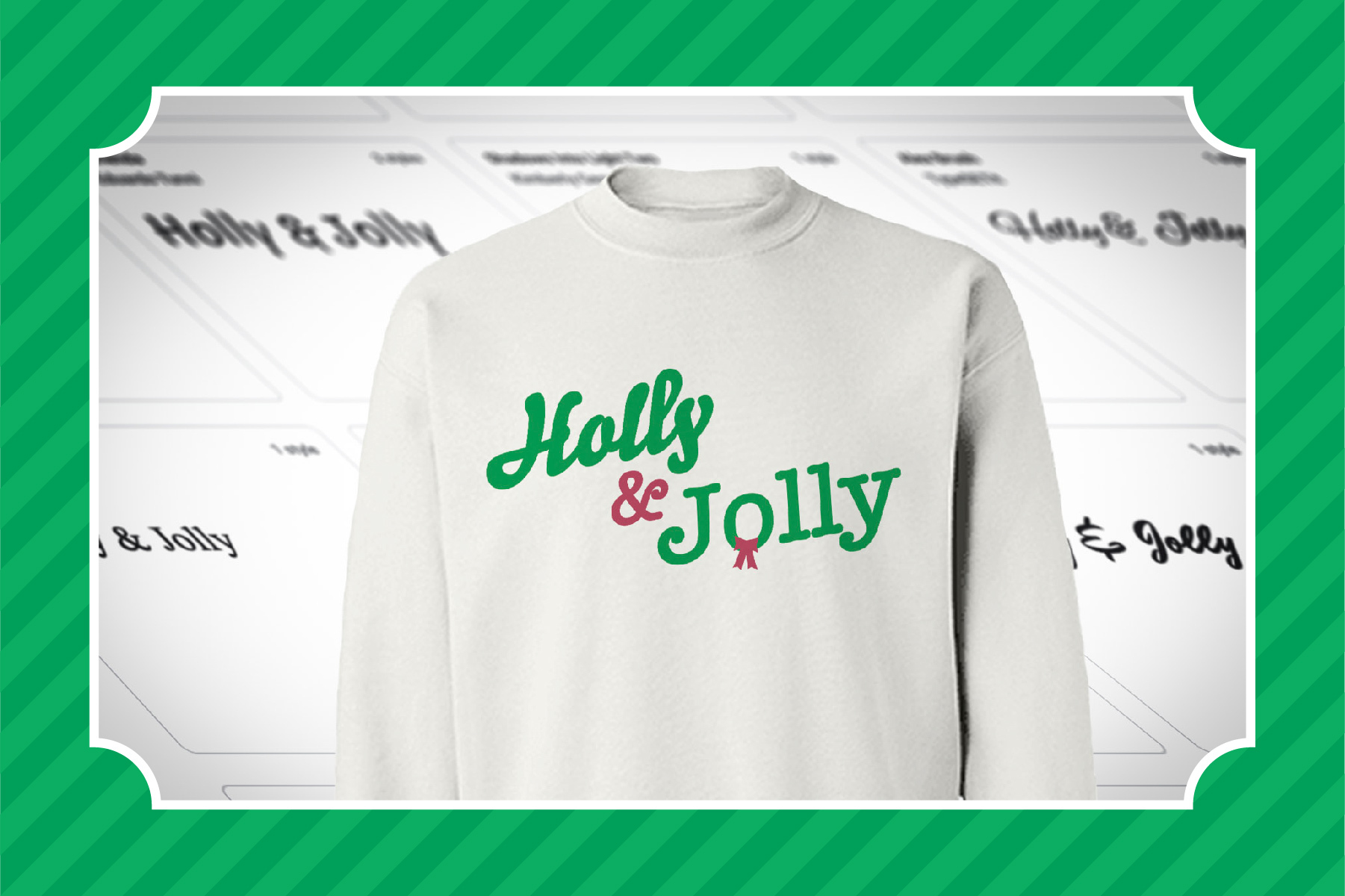
Script fonts are a hallmark (pun intended) of the holiday season. Try mixing & matching script with serif and sans-serif fonts to nail that holiday aesthetic. Google Fonts are free for commercial use, & Adobe Fonts are included with Creative Cloud. Be careful with free font sites like DaFont: many of their fonts are licensed for personal use only, so check the license before you put one on a product you sell.
2. Use Stock Vector Graphics (& Check the License)
Need a quick snowflake or reindeer graphic? Libraries like Freepik & Vecteezy have thousands to choose from, but free downloads usually require attribution, & many licenses restrict using a graphic as the main design on merchandise for sale. For anything going on a product, buy a license that covers merch or customize the asset enough to make it your own. When in doubt, draw it yourself.
3. Don’t Forget Classic Designs
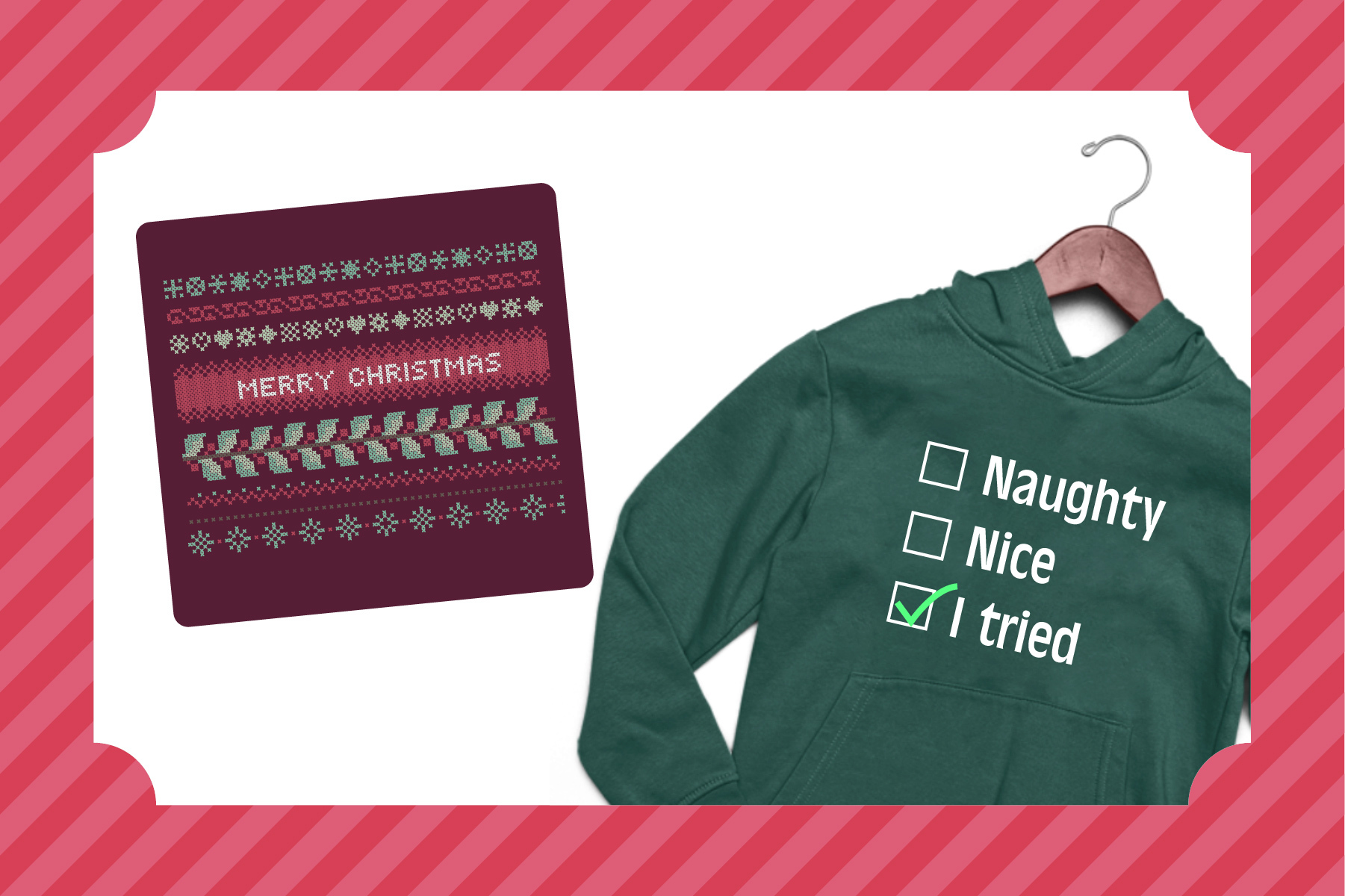
There are several classic designs that usually tend to sell like hot cakes. These can include the “ugly sweater,” the naughty or nice checklist, etc. For even more inspiration, I find simply doing a quick Google Images search usually helps spark some ideas.
4. Try Out Hand-Drawn Designs
Hand-drawn designs stand out in a sea of templated graphics; there’s a certain charm to this particular style, especially when paired with a witty phrase or image & a matching typeface.
5. Keep it Simple
Sometimes a clean, minimal look is all that’s needed to create an effective design. With that said, there’s still a place for more ornate designs- it really just depends on the message you’re trying to send.
Effective Email Marketing Tips from Dennis, Creative Manager
1. Pick Your Promotions & Create a Holiday Promotion Schedule
The key to a successful holiday season is preparation. As you plan your email promotions, make sure your holiday content is ready at least 2 to 3 weeks before each holiday you are targeting. Promote early and promote often without being overwhelming.
This holiday season, you want balanced communication. That means keeping in touch with your customers & being clear about expectations i.e. shipping, returns, delivery options, and product availability. For your holiday email marketing efforts to work, you need to create a detailed holiday promotion schedule.
Look at past data & think through your marketing schedule. Consider what times, and days are best for sending successful emails. If you plan well enough in advance you will have enough time to fine-tune your content, segment your content, segment your email lists and allow for multiple touch points.
2. Make Sure You’re Mobile Friendly
During the 2025 holiday season, smartphones drove a record 56.4% of online sales, & 66.5% on Christmas Day (Adobe). If you’re looking to engage your subscribers this holiday season, give them the gift of mobile-friendly emails.

3. Design for Dark Mode
Dark mode is here to stay & goes hand in hand with mobile optimization. Apple Mail, Gmail & Outlook all support dark mode, & many subscribers read their email that way by default. Remember dark mode is more complex than just inverting black to white. Set foundation colors. Make sure your text is legible on a dark background. Keep colors aligned with your brand. Use your brand colors as an accent on dark backgrounds. Just have fun & figure out how to create the best experience for your customers.
4. Make Your Campaigns Cross-Platform
While it is important to keep a stronghold of email marketing efforts it is a mistake to let social media fall to the wayside. The most effective campaigns are cross-platform. If you’re announcing a sale via email, make sure to share the same information on social media, as well.
5. Free Shipping is Important (So are Return Policies)
If you can’t seem to find the perfect holiday promotion consider free shipping. In Ryder’s 2025 e-commerce study, 76% of shoppers named free shipping a top holiday purchase motivator (Chain Store Age). Create an email with a free shipping promotion & it’ll be sure to please your customers.
Return policies matter too: 57% of respondents in the same study said they won’t buy without a free return policy. Because POD products are made to order, spell out clearly what you will & won’t accept.

Holiday Advertising Tips from Tomas, Paid Marketing Strategist
1. Start Planning Your Media Buying Now!
Use a calendar & plot out what you want to say to both existing & new customers. This should translate into different ad copy/messaging based on if the user is already familiar with your brand or not.
2. Building Your Audience – Some Great Segments are:
– Visitors that viewed a wishlist
– Past purchasers
– Repeat Purchasers
– High-value customers
– Recent visitors – potentially qualified by content viewed, time on site, or the number of recent visits.
– Wishlist creators
– Those that engaged with content (on Facebook or Instagram)
– Lookalikes of any & all of the above
– Combinations of any of the above
3. Offer Free Shipping
Shipping adds cost for customers & might deter them from buying. They are getting bombarded with ads offering all types of promos and discounts, so standing out with “FREE” can help.
4. Include Holiday Visuals
Users love seeing holiday visuals in the ads. Your response/CTR will be much higher by showing holiday imagery.
5. Refresh Your Ad Assets
In Google Ads, extensions are now called assets. Update your sitelinks, callouts & promotion assets with holiday offers & shipping cutoffs, & refresh the creative in your Google Shopping & Meta catalog ads so they highlight your holiday-ready products.

Bonus Holiday Tips from Team CustomCat
1. Evaluate Last Year’s Marketing Campaign
The best way to start planning for the future is by learning from the past. The purpose is to find out what went right and wrong with which customer segment so you can avoid past mistakes, how the target audience responded to your campaign, and then to apply those lessons this year.
2. Cross Sell Effectively
These holiday months are a great time to suggest items to go with the products your customers are already purchasing. Remember that cross-selling is still selling, which means a product has to add intrinsic value and solve customer problems.
3. Test Site Performance
To enhance your store’s functionality, your store should be easy to navigate and won’t compromise on various crucial factors such as user experience, mobile responsiveness, customer data security, quick load time, and secure transaction. Thereby, you can give your customers a nice and enjoyable experience.
4. Send Gift Ideas
What are your most popular/favorite items and who buys them? Share that info with the people on your mailing list with headings like: “gifts for mom,” “great gifts for girls,” “gifts for neighbors.”
5. Bundle Products & Offer Coupon Codes
Product bundling performs best when combined with dynamic customer segmentation, and coupons make it easy. By wrapping products into bundles at a discounted price, you entice customers to spend more.
Need dates & production times? The 2026 Holiday Ecommerce HQ has our suggested order deadlines, & 2026 Holiday Shipping Rates covers this season’s shipping costs.
You’re going to crush it this holiday season – we just know it! Happy selling from the team here at CustomCat!
Featured Resource